Developing Software That Doesn´t Suck

Einmaliges und exklusives Training mit Microsoft´s Software Legende David S. Platt!
Parallel zur BASTA! Spring


Präsentiert von:

22. - 24. Februar 2010, Darmstadt

Today´s software sucks because it´s designed by geeks for themselves, from the toolkit outward, instead of starting from the users´ needs and working inwards. This class will teach application designers, architects, and their managers how to put themselves in the users´ shoes and design from the user´s needs inwards. The world-famous David Platt will help you learn how to build applications that will have customers flocking to you.

Preis Specials

  • Bei gleichzeitiger Anmeldung von drei oder mehr Kollegen spart jeder Teilnehmer 100,- € mit dem Kollegenrabatt!

Developing Software That Doesn´t Suck auf einen Blick:

  • Very intensive 3 days training from 9:00 am till 18.00 pm, a must for professional architects and application designers.
  • Live coding, design guidelines, best practices and pitfalls, technical tips & tricks.
  • Training with one of the most famous .NET-experts.
  • Networking events on Tuesday and Wednesday.
  • Including the official certificate from the Entwickler Akademie.
  • Includes: refreshments during the breaks, lunch, and dinner (on Tuesday and Wednesday evening)
  • Free entry to the BASTA 2010. Enjoy additional networking events, keynotes and sessions till night.
  • CD with all the code samples, tools, utilities, sample book chapters, coding standards and notations.

Ihr Trainer

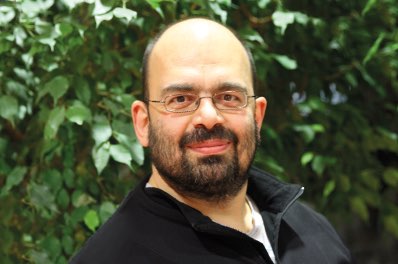
David S. Platt teaches Programming .NET at Harvard University Extension School and at companies all over the world. His magnum opus, Why Software Sucks (Addison-Wesley, 2007, www.whysoftwaresucks.com), points out ways in which software MUST improve if it´s to accompany humanity into the twenty-first century. He is famous for his engaging presentation style. "He´s the only guy I know that can actually make a talk on COM´s apartment threading model funny," said one student. Microsoft named him a Software Legend in 2002. He is the author of eleven programming books. His Introducing Microsoft .NET from Microsoft Press introduced thousands of programmers to that environment. Even today, 4 years after its most recent release, it is outselling Tom Clancy´s Every Man a Tiger on Amazon.com, which tells you what kind of geeks buy their books there. Dave holds the Master of Engineering degree from Dartmouth College. He did his undergraduate work at Colgate University. When he finishes working, he spends his free time working some more. He wonders whether he should tape down two of his daughter´s fingers so she learns how to count in octal. He lives in Ipswich, MA.


1. Introduction – Using WPF and Silverlight for Good and Not Evil

Lecture: Putting the power of Windows Presentation Foundation or Silverlight into the hands of developers who are unschooled in the art of user interface design is like giving liquor and Corvette keys to teenage boys. It's fun for them, temporarily, but the end results aren't pretty. “The first time they see it, they will think it is cute. The eleventh time they see it, they will think about killing you,“ writes etiquette columnist Miss Manners. Users don't give a flying fish about their applications in and of themselves. Never have; never will. They only care about accomplishing the tasks that they bought the software to accomplish, so that they can get on with eating and making love and living their lives. Forget about color gradients and button radii. Learn how to use WPF's power to accomplish good things that your users actually care about, not useless nonsense that does nothing but titillate the rococo vanity of socially misfit geeks.

We will examine the Family. Show WPF application, often cited as a paragon of good WPF design. We will study its use of three separate WPF features: color gradients, motion, and re-looking of controls. We will see cases in which the app uses each of these features well, quickly and easily improving the user experience far beyond anything Windows Forms could do. And we’ll also see different parts of the very same app using the very same WPF features to degrade the user experience, in once case inflicting genuine physical, not just mental, pain on its user. We will discuss the underlying principles that cause each implementation choice to help the user experience or harm it.

Lab: Examine your proposed designs or your existing products in light of the examples in this lecture. Identify usages of advanced graphical features that help the user and those that do not. Propose strategies for converting the latter into the former.

zurück zum Seitenanfang

2. Using Roles and Personas for UI Design

Lecture: It’s very easy to say during the development process that, “the user wants this,” or “the user hates that.” But this nebulous concept of “the user” leads to all sorts of misunderstandings. It is surprisingly difficult to nail down just who these user people are, what they like and what they don’t, what they need and what they want and what they only think they want, and what they are willing to tolerate. It’s even more complicated because most applications need to serve several different types of users. Somehow “the user” always comes out resembling the developer asking the question, which is completely wrong.

This talk deals with the concept of a persona, a fictitious character that represents a particular class of user. We’ll discuss generating personas based on the actual user population, assigning characteristics such as gender, ethnicity, and technological expertise to the persona. We’ll add data and stories that flesh out the personas: “21-year old Diego lives on his iPhone all day every day, 42-year old Linda has three children and needs to be home by 3:30 no matter what, and 67-year old Harcourt won’t touch a keyboard and insists that his secretary print out all of his emails and take dictation of the replies.” We’ll examine the process of comparing the generated personas to actual users. Finally, we’ll discuss using personas in the design process: “Diego would love that feature and would use it all the time, but Linda would never even consider using it, no matter how many times you showed her, because she doesn’t find it helpful, so you shouldn’t bother her with it.”

Lab: Develop personas for the design of your product that represent the classes of user that you have identified in your customer population. Expand them and document them as much as permitted by the time slot.

zurück zum Seitenanfang

3. Writing User Stories

Lecture: Storytelling is the main way in which the human species communicates. It is likewise the best way way in which the interaction of a user with a program is discussed and specified. We will discuss building a user interface from a collection of user stories. We will define a user story, discussing what they are and are not. We’ll look at the choices for the length and details of a user story, and derive principles for handling stories that are too long or too short. We’ll examine some examples of good and bad user stories. We’ll examine and work with different ways of tracking stories – index cards versus programs, advantages and disadvantages of each.

Once we know what good stories are, we’ll discuss ways of gathering the information we need to write good ones. We’ll discuss the sorts of information you can elicit from direct interaction with users, such as interviews, and the types that you can’t get directly from them but can only get from observing them in action. We will examine the construction of users’ goals and constraints, what the users think they are and what they really are. Finally, we’ll discuss extracting information from participants in the process who are not actual users – their managers, for example, or problem domain experts or regulatory personnel.

Lab: Write three separate user stories for the design of your product. Expand and document them as much as permitted by the available time.

zurück zum Seitenanfang

4. Making Your Apps Just Work™

Lecture: Far too many programs are designed from the toolkit outwards – here’s what the toolkit does, so here’s what we will do, regardless of whether it makes the user happier. We’ll introduce the concept of user-centric design, the importance of putting the user experience designer into the user’s shoes, to design software that Just Works™. We’ll examine the case study of applying text styles in MS Word, between early versions that required a drop-down selection and version 2007, in which the user just hovers the mouse over a sample style. We’ll go into detail over the concept of the Undo operation and how it makes an application explorable, discuss various ways of implementing it, and consider how to handle actions that can’t be undone. (Hint: it’s not asking the user “are you sure?”). We’ll consider the case of saving data, the automatic saving in Money and One Note versus manual in Office. We’ll discuss the need to ensure that edge cases don’t degrade the mainstream cases, with a case study of the Carbonite automatic disk backup program. We’ll also discuss the need to ensure that the more frequently used an operation is, the easier it is to do. Case study: Vonage VoIP telephone web user interface versus tray application. Finally, we’ll talk about handling errors: recasting the concept of a user error, preventing them from occurring, and then minimizing that amount of thinking a user has to do if one does occur.

Lab: Identify areas in your current software design that sacrifice ease of use in return for flexibility and power. Discuss the sorts of modifications that would allow your app to maintain the flexibility and power, while making your app much easier to use without thinking for users who only wanted the most common cases.

zurück zum Seitenanfang

5. Testing on Live Animals

Lecture: You never know how well anything works until you test it. Somehow this principle often gets lost when it comes to the user experience. What is obvious to a developer who uses an application all day every day is opaque to a casual user, or even a non-casual user who doesn’t understand (or want to understand) a program’s internal workings. User interfaces need to be tested early and often so their efficacy, or lack therefore, can be determined.

We’ll discuss the timing of user interface testing, learn why waiting until the beta (or even alpha) phase is never enough. We’ll consider the frequency of testing iteration versus the number of users; why more tests with fewer users in each are better than fewer tests with more users. We’ll address the issues and difficulties of recruiting the test subjects, and the pitfalls of Jakob Nielsen’s ideas on “hallway usability testing”. We’ll see how important is the exact wording of the tasks that you set for users and the data that you put in front of them. And because the user interface will evolve quickly as data becomes available, we’ll discuss ways of generating prototype user interfaces quickly. Finally, we’ll discuss the art and science of making changes to the user interface based on what you learn during your testing, and strategies for handling the resistance that inevitably arises.

Lab: Perform a quick usability test on your company’s existing or proposed products. Discuss the information that you collect as a result, the lessons that it teaches, and the changes that you would make to your product as a result.

zurück zum Seitenanfang

6. Instrumentation For Knowing Thy User

Lecture: The most important principle of user experience design is “Know Thy User, for He Is Not Thee.” However, it is very difficult to know exactly what users think of your application – what they find easy to use, what’s hard, what makes sense to them and what doesn’t. If you ask them, they don’t know, or can’t remember, or don’t want to admit they can’t use your application, or don’t want to insult you. Even finding users to ask is difficult, and current techniques such as focus groups almost always produce unrepresentative results.

The only way to know for sure is to instrument your application so that it reports user experiences over many sessions. This talk will discuss ways in which this can be done and the design decisions that need to be made to accomplish it successfully. User experience tracking is different from other kinds of program instrumentation – it has to be very light, so that it doesn’t degrade performance at all. Which sorts of events should you record? How do you convince users to opt in for data collection? How do you send and store the data, and how do you analyze it? A sample user experience tracking framework will be demonstrated. The silent majority has a lot to say, if you know how to listen to them.

Lab: Examine a working application containing a user instrumentation framework. Follow the flow of information from instrumented application to database to designer. Discuss how you would instrument your own applications.

zurück zum Seitenanfang

Veranstaltungsort

Maritim Hotel

Am Kavalleriesand 6
64295 Darm
Deutschland

Veranstaltungsort ist das Maritim Rhein-Main Hotel, ein beeindruckendes Geschäfts- und Konferenzhotel mit glänzender Spiegelfassade in Darmstadt, 17 Kilometer vom Flughafen entfernt. Die modernen Zimmer sind mit dunklen Holzmöbeln ausgestattet und verfügen alle über Internetzugang und Satellitenfernsehen.Ein Pool und eine Sauna sorgen für die nötige Entspannung.


Unterkunft

Für die Teilnehmer des Workshops mit David Platt bietet das Maritim Hotel einen Sonderpreis für Ihre Übernachtung. Ein Einzelzimmer können Sie für € 105,- inkl. Frühstück buchen. Ein Doppelzimmer für € 147,- inkl. Frühstück. Bitte nutzen Sie das untenstehende Hotelreservierungs-Fax der gleichzeitig stattfindenden BASTA!-Konferenz , um den angebotenen Sonderpreis für Ihre Übernachtung im Hotel zu erhalten.

» Hotelreservierungsfax

Haben Sie Fragen oder Anregungen? Wir freuen uns auf ihre Nachricht!

Ihre Ansprechpartner:

Mirko Hillert

Mirko Hillert

Telefon: +49(0)331-287952-40
Fax: +49(0)331-235491-37
mhillert@entwickler-akademie.de